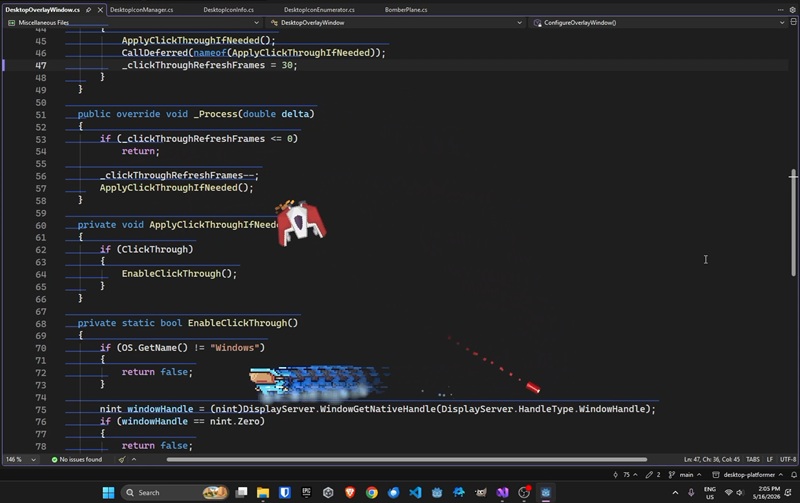
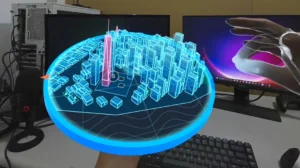
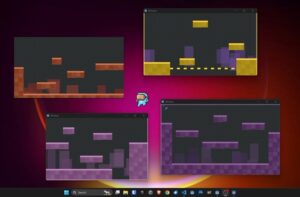
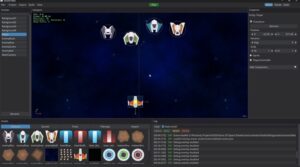
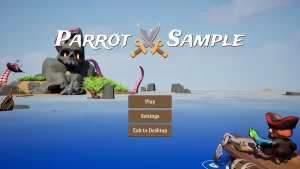
Playing around with Godot game engine. I’ve been exploring this idea of turning your desktop into a game level. Pretty cool things you can do with the Win32 API via P/Invoke. Godot has some quirks and limitations, but is lean, fast, and enjoyable to work in.
Transparent click-through overlay
Get your own window handle, then read its extended style with GetWindowLongPtr(GWL_EXSTYLE), or in WS_EX_LAYERED, WS_EX_TRANSPARENT, WS_EX_TOOLWINDOW, WS_EX_NOACTIVATE, and write it back with SetWindowLongPtr. Follow with a SetWindowPos(..., SWP_FRAMECHANGED, SWP_NOMOVE, SWP_NOSIZE, SWP_NOZORDER, SWP_NOACTIVATE) to make the new styles take effect. WS_EX_TRANSPARENT gives you the click-through. WS_EX_LAYERED enables the per-pixel transparency (your renderer/compositor supplies the actual alpha. In a raw Win32 app you’d use UpdateLayeredWindow or SetLayeredWindowAttributes).
Enumerating windows as platforms
Sweep every top-level window with EnumWindows and a callback. Inside it, reject what shouldn’t be a platform: IsWindowVisible, IsIconic (minimized), GetShellWindow (the desktop), and a class-name check via GetClassName. The non-obvious one is virtual-desktop / UWP-suspended windows. Catch those with DwmGetWindowAttribute(DWMWA_CLOAKED). For each survivor, get its on-screen rectangle from DwmGetWindowAttribute(DWMWA_EXTENDED_FRAME_BOUNDS) (tight to the visible edge), falling back to GetWindowRect only if that fails. Read titles with GetWindowText.
Punching a holes in a window
This is all GDI regions. Build the hole shape with CreatePolygonRgn (a jagged ring of points) and CreateRectRgn, union extra crack shapes in with CombineRgn(..., RGN_OR), then subtract the whole thing from the window’s current region with CombineRgn(..., RGN_DIFF) and apply it via SetWindowRgn. Before the first hit, strip the frame so the hole reaches the edge: SetWindowLongPtr to clear WS_CAPTION, WS_THICKFRAME, plus DwmSetWindowAttribute with DWMWA_NCRENDERING_POLICY. Two memory rules: DeleteObject every intermediate region you create, but do not delete the final region you pass to SetWindowRgn (the OS takes ownership). Undo everything with SetWindowRgn(hwnd, NULL, true) and restoring the saved styles.
Capturing a window’s pixels (for shatter/debris)
Make an off-screen surface: GetDC(NULL) for a screen DC, CreateCompatibleDC for a memory DC, and CreateDIBSection for a 32-bit bitmap (use a negative height for top-down rows so the pixel order is sane), then SelectObject it into the memory DC. Call PrintWindow(hwnd, memDC, PW_RENDERFULLCONTENT), the flag is essential for capturing modern hardware-accelerated / DWM-composited content that a screen BitBlt would miss. CreateDIBSection hands you a pointer straight to the pixel buffer, so you can copy it out directly (no GetDIBits round-trip needed). Remember Windows pixels are BGRA, swap red and blue if your target wants RGBA, and release the DCs and bitmap when done.
Shaking a window on impact
Record the window’s real position once with GetWindowRect, then each frame call SetWindowPos(hwnd, NULL, originX + jitterX, originY + jitterY, 0, 0, SWP_NOSIZE, SWP_NOZORDER, SWP_NOACTIVATE) with a small random offset whose magnitude decays toward zero over the shake’s duration. SWP_NOACTIVATE is the flag that lets you move the window without stealing the user’s focus or raising it. When the timer expires, one final SetWindowPos back to the recorded origin. The identical call with a fixed offset (instead of random jitter) gives you a directional “push.”
Reading and moving desktop icons
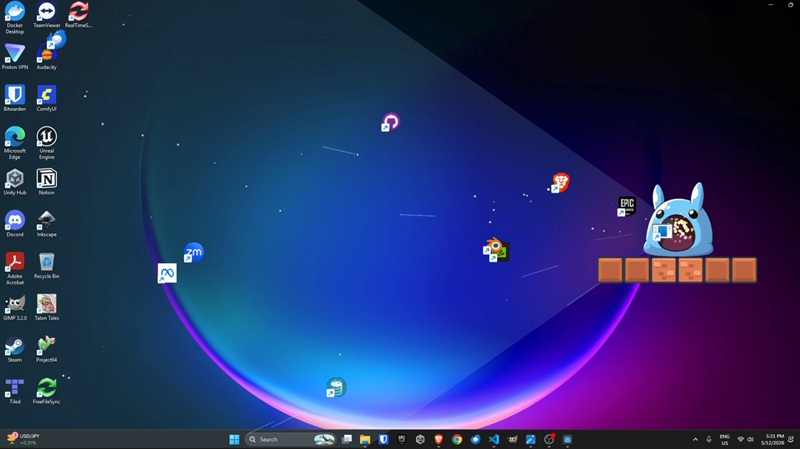
First locate the icon container: FindWindow("Progman", ...) then FindWindowEx down to SHELLDLL_DefView and SysListView32 (fall back to scanning WorkerW windows if an animated wallpaper is active). Because that control lives in explorer.exe, you can’t pass it a local pointer, instead get its PID with GetWindowThreadProcessId, OpenProcess with VM read/write/operation rights, and VirtualAllocEx a scratch buffer inside Explorer. Then WriteProcessMemory to seed it, SendMessage the list-view query (LVM_GETITEMPOSITION, LVM_GETITEMTEXT) pointed at that remote buffer, and ReadProcessMemory to pull the answer back; reverse it with LVM_SETITEMPOSITION to move an icon. Free with VirtualFreeEx / CloseHandle. Turn off auto-arrange first (SetWindowLongPtr to clear LVS_AUTOARRANGE, plus the LVM_SETEXTENDEDLISTVIEWSTYLE message to clear LVS_EX_SNAPTOGRID) so icons move freely, and grab icon images via SHGetFileInfo + DrawIconEx.
Finding individual lines of text (UI Automation)
Use the UI Automation COM API: create the CUIAutomation object (IUIAutomation), find the target editor element, and request its TextPattern (IUIAutomationTextPattern). Call GetVisibleRanges to get the on-screen text ranges, then GetBoundingRectangles on each range for screen-space rectangles, one per visible line. These interfaces live in UIAutomationCore / UIAutomationClient; if your runtime can’t reference the managed assembly, declare just the handful of COM interfaces you need inline with [ComImport].